Grow the ultimate plot in Grow a Garden. Auto-plant and harvest crops, auto-sell for profit, find rare seeds and rack up infinite Sheckles without the grind.
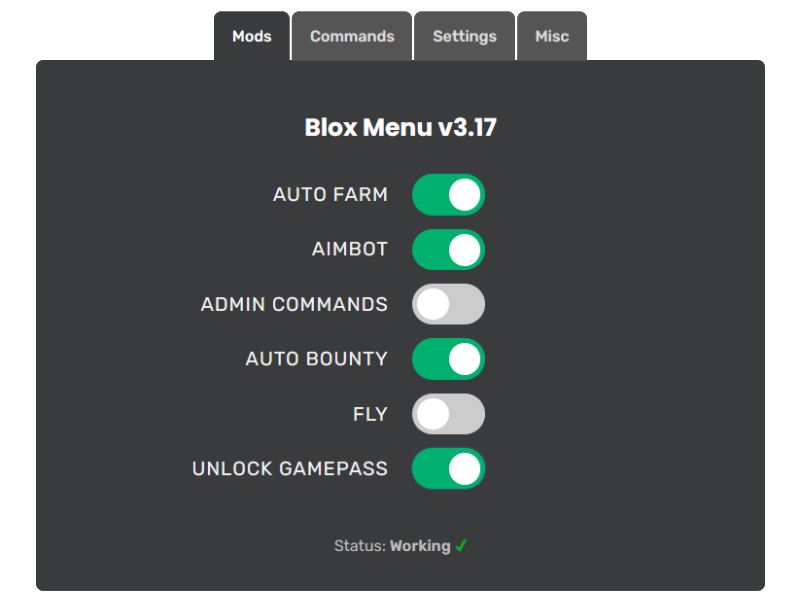
Whether you’re just starting out or chasing the leaderboard, Blox Menu gives you complete control over Grow a Garden with a single click. It’s 100% free, regularly updated, and works on both PC and mobile.
Harvest ripe crops the moment they’re ready.
Replant your whole garden automatically.
Sell your harvest for instant profit.
Track down the rarest seeds in the shop.
Build unlimited Sheckles fast.
Auto-purchase seeds and restock the shop.
Move faster than normal to explore the map quickly.
Walk through walls and obstacles to reach any area.
Soar through the air for a bird’s-eye view of the map.
Instantly teleport to any location on the map.
Access all premium gamepasses for free.
Become invisible to other players for total stealth.
Max out your stats without the grind.
Use powerful commands to control the game.
One menu that works across many Roblox games.
No app to install on mobile — Blox Menu runs right in your browser:
Follow these steps to install Blox Menu on your PC (Windows 7, 10, 11+):
If you encounter any issues during installation, please refer to our Troubleshooting Common Issues or consult the Installation Guide for further assistance.